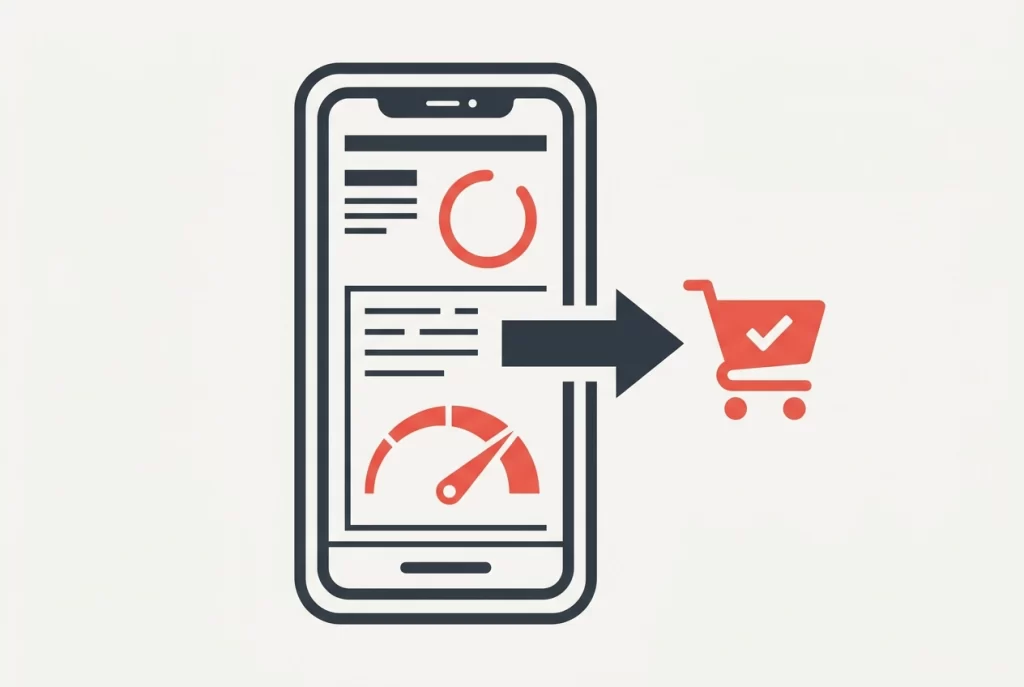
Picture this: a potential customer is standing outside your shop, searching on their phone for exactly what you offer. Your website comes up. They tap it. It starts to load. And then… they give up and tap the next result instead. You never even knew they were there.
This is happening to Australian small businesses every single day, and most owners have no idea. Slow mobile loading is one of the biggest silent killers in small business website design, and it costs real customers before you ever get the chance to make your pitch.
The good news is that you do not need to become a web developer to fix it. In this post, we will walk you through what “fast enough” actually looks like in Australia, explain the most common reasons local websites drag their feet on mobile, and give you a clear, plain-English checklist you can hand straight to a developer. Whether you want to understand the problem or just want someone to solve it, by the end of this you will know exactly where to start.
They Left Before You Even Had a Chance
Picture this: someone’s sitting in their car outside Bunnings, searching for a local tradie on their phone. Your business comes up. They tap your link. The page starts loading. They wait. Then they hit the back button and tap the next result instead.
No missed call. No enquiry. No bounce notification. They were simply gone, and you had no idea they were ever there.
This is the silent bounce, the quiet revenue leak that catches most small business owners off guard. Unlike a bad review or a failed ad campaign, there’s no signal it happened. No feedback, no alert, nothing to action.
Here’s what makes it sting more for a small business: you’re working with a much smaller pool of visitors than a large national brand. Every person who leaves before your page loads is a proportionally bigger loss. A large business might absorb a thousand silent bounces a month without blinking. For a local business, losing even a handful of ready-to-act customers every week adds up fast.
Those ready-to-act customers matter because mobile searchers are often mid-decision. They’re not browsing for fun; they’re looking to book, call, or buy. Friction kills that intent almost instantly.
Tools like Google Search Console can surface the bounce rate data that reveals this pattern, but most small business owners aren’t logging in to check. If you’ve been thinking about what your site actually needs to convert those visitors, this Australian owner’s checklist is a useful starting point.
This Is a Revenue Problem, Not a Tech Problem
Here is the thing: most small business owners file “website speed” in the same mental drawer as server settings and SSL certificates. It feels technical, so it gets handed to the bottom of the list. That framing is costing you money.
Think of it as a customer acquisition problem instead. Every extra second your site takes to load is a measurable drop in the number of people who stick around long enough to call you, fill in an enquiry form, or look up your address. Google’s own research shows that as mobile load time increases from one second to three seconds, the probability of a visitor bouncing rises by 32 per cent. That is roughly one in three potential customers gone before they read a word about what you offer.
For a small business that runs on enquiries and phone calls, those numbers are not abstract. A modest speed improvement can mean a handful of extra leads each month, and over a year, that adds up.
The margin issue matters here too. A large company can absorb a leaky top-of-funnel because volume covers the losses. A local business with a smaller flow of visitors cannot. Each lost visitor represents a bigger slice of your potential monthly revenue.
There is also a design trap worth naming. A beautifully designed website that loads slowly is, commercially, a poor investment. Speed and design are not separate conversations; they need to be considered together from the start of any website design for small business project. A site that looks great but loses visitors before it finishes loading has not done its job.
What Does ‘Fast Enough’ Actually Mean in Australia?
So what does that actually look like in numbers you can use?
The widely accepted industry benchmark is under three seconds for a mobile page to load. Beyond that point, abandonment rates climb sharply. But here’s the Australian catch: our mobile network infrastructure, especially in suburban and regional areas, often delivers slower real-world speeds than the conditions used in US or UK research. A practical local target is two to three seconds, and erring toward the lower end is the safer bet.
Google measures this more precisely using a set of standards called Core Web Vitals. In plain terms, these look at three things:
- How quickly the main content appears on screen
- How soon a visitor can actually tap or interact with the page
- Whether things shift around as the page finishes loading (that annoying jump when a button moves just as you go to press it)
You don’t need to understand the technical detail behind any of these. What matters is that Google uses them to judge whether your site delivers a good experience, and that judgement affects where you show up in search results.
The simplest way to check where your site stands is Google PageSpeed Insights (pagespeed.web.dev). Paste your URL in, hit analyse, and within about two minutes you’ll have a score out of 100 for both mobile and desktop, plus plain-English suggestions.
For a small business website, a mobile score of 70 or above is a reasonable starting target. Below 50 means there are real problems actively turning visitors away. A passing score doesn’t mean perfect, but it tells you the basics are covered.
Run this check at least once a year as part of reviewing your small business website development priorities. It costs nothing and takes less time than making a coffee.
The Usual Suspects: What Is Slowing Your Site Down
So your PageSpeed score is lower than you’d like. The next question is obvious: what’s actually causing it?
Most slow small business websites have the same handful of problems. Here’s what to look for.
Unoptimised images are the number one offender by a wide margin. A photo straight off your phone or pulled from a stock site can be 4 to 8 megabytes. Upload it as-is and every mobile visitor waits while their connection pulls down that entire file before the page feels usable.
Too many plugins is a problem that sneaks up on WordPress sites. Each plugin adds code the browser has to load. A DIY-built site with 30 or 40 plugins (more common than you’d think) gets slower with every addition, regardless of connection speed.
Cheap or shared hosting is often invisible until you run a speed test. If the server itself is slow to respond, your visitor’s browser hasn’t even started loading your page yet. No amount of design work fixes a sluggish server.
Third-party tools are a slow accumulation problem. A live chat widget here, a booking system there, a pop-up builder, a social media feed embed. Each one loads its own scripts. Individually they seem harmless; together they add meaningful seconds.
Video backgrounds and large hero animations look great in a design mockup. On a mobile browser over a real 4G connection, they’re among the heaviest things a page can carry, and they make load time feel worse than the raw numbers show.
External fonts and tracking pixels are the quiet ones. Fonts pulled from an outside server and ad platform pixels each add a small delay. Stack several of them and the total is no longer small.
The good news: most of these are fixable, which is exactly what the next section covers.
What You Can Fix Yourself vs. What Needs a Developer
Now you know what’s slowing your site down, the next question is: what can you actually do about it yourself?
Fixes you can do right now:
- Compress images before uploading. Free tools like Squoosh or TinyPNG let you shrink image file sizes dramatically without visible quality loss. Do this every time, before anything hits your media library.
- Remove unused plugins. Log into your WordPress dashboard and delete any plugin you are not actively using. Not just deactivate, delete.
- Kill dead widgets and embeds. Old social feeds, booking buttons you switched away from, or a live chat tool you stopped using, remove them. They are still loading even if you forgot they exist.
A mid-level fix worth trying:
Installing a caching plugin is the next step up. Tools like WP Rocket or W3 Total Cache store a ready-to-serve version of your pages so the server does less work on each visit. Most confident non-technical owners can follow the setup guides and see a noticeable improvement quickly.
Where to hand it over:
Switching hosting providers is a decision you can make yourself, but let someone technical handle the actual migration. Getting it wrong can take your site offline.
Converting images to WebP format, enabling lazy loading, and minifying CSS and JavaScript files are all worthwhile, but genuinely risky to attempt without a developer.
If your site was built by someone else and you are unsure what is running under the bonnet, get a professional speed audit first. Attempting DIY fixes on an unfamiliar setup can break things you did not know were connected.
This split gives you something concrete to work with before any developer conversation, rather than just saying “can you make it faster?”
The Handoff Checklist: What to Give Your Developer
Once you know what needs fixing, the next step is making sure your developer can hit the ground running. Here is a ready-to-use checklist you can put together before that first conversation.
- Run a PageSpeed Insights test and screenshot the results. Head to pagespeed.web.dev, enter your URL, and capture your mobile score plus the “Opportunities” section. You do not need to understand it; your developer will.
- Note your hosting provider and plan. Check your invoice or account dashboard and write it down. Upgrading to a managed WordPress host or a plan that includes a content delivery network (CDN) is often one of the highest-impact fixes available, and your developer needs this detail to advise you properly.
- List every third-party tool on your site. Think live chat, booking widgets, pop-up tools, social media feeds, and ad tracking pixels. Write them all down. Each one adds load time, and a developer can identify which are worth keeping and whether lighter alternatives exist.
- Ask specifically about image optimisation, caching, and code bloat. Request that images be converted to WebP format with lazy loading enabled, that browser caching is configured, and that your theme or page builder is not the source of unnecessary extra code.
- Ask for testing on a mobile connection. A developer on fast office Wi-Fi may not naturally replicate what your customers experience on a 4G connection in a suburban car park. Make this request explicitly.
- Request a before-and-after PageSpeed score. This gives you a clear benchmark to assess whether the work delivered a measurable improvement.
- Be open to a rebuild conversation. If your site runs on a slow page builder or an outdated theme, patching it may deliver limited results. A fresh build is worth discussing seriously as part of any small business website development decision.
Where Epik Monkey Fits Into This
If you’ve worked through the checklist and you’re wondering who can help you action it, that’s where we come in.
At Epik Monkey, mobile performance isn’t bolted on at the end of a build. It’s part of the brief from day one, with speed as a core requirement, not a nice-to-have.
If you already have a site and aren’t sure where it stands, a conversation with our team can help you figure out whether a targeted fix or a fresh build makes more sense for your budget. We won’t push you toward the bigger option if a smaller one does the job.
What most business owners appreciate is the translation. No jargon, no reports full of numbers that don’t mean anything to you, just a plain explanation of what’s slowing your site down and what your realistic options are.
Our approach is built around local Australian businesses where the owner is doing most of the work. Getting your website right is one piece of the puzzle; if you’re also thinking about where to spend your time online, our breakdown of which social media platforms are actually worth it for local Australian businesses is a useful companion read.
Whether you need small business website design from scratch, a speed audit on an existing site, or just guidance on what to ask a developer, we’re set up to help without the corporate price tag.
The Short Version: Speed Is Not Optional Anymore
Here is the bottom line: a slow mobile website is not just frustrating for visitors, it is quietly handing them to your competitors before they ever learn what you do.
The good news is that the first step costs nothing and takes two minutes. Run your site through Google PageSpeed Insights, check your mobile score, and look at the “Opportunities” section. That one action tells you exactly where you stand.
From there, work through what you can handle yourself: compress your images before uploading, remove plugins you no longer use, and clear out any old widgets or embeds sitting idle on your pages. For everything else, use the checklist in this post to put together a clear brief for your developer. No vague requests, just a specific list of what needs attention.
The most important mindset shift is this: mobile load speed is not a box you tick once and forget. Websites pick up new plugins, new scripts, and new images over time. A quick annual check keeps small problems from quietly growing into customer-losing ones. Treating it as an ongoing standard, rather than a one-off fix, is what separates a small business website that keeps working for you from one that slowly loses ground.
If you are not sure where to start, or you just want a second opinion on what your site actually needs, talking to a team that works with local Australian businesses every day is always a practical first step.
Conclusion
Mobile speed is not a technical nicety; it is a direct line to your revenue. Visitors who wait leave, and they rarely come back. The fix starts with knowing where you stand, running a free PageSpeed check takes two minutes and costs nothing. From there, small wins like compressed images and trimmed plugins make a real difference, and a clear developer brief handles the rest. Most importantly, speed is an ongoing standard, not a one-time project.
Your website is often the first impression a potential customer gets of your business. Make it count. Start with your PageSpeed score today, work through the checklist in this post, and treat mobile performance as a regular part of running your business online. A faster site means more visitors stay, more enquiries come in, and more of your effort actually converts. That is worth acting on.